0.14 studio update. Current export options include both 192 and 320 kbps MP3. Existing WAV formats and source-rate/channel limitations still apply.
Before you start: open the current VOID studio in a modern browser. These instructions describe the development release and use locally generated demonstration audio in screenshots.
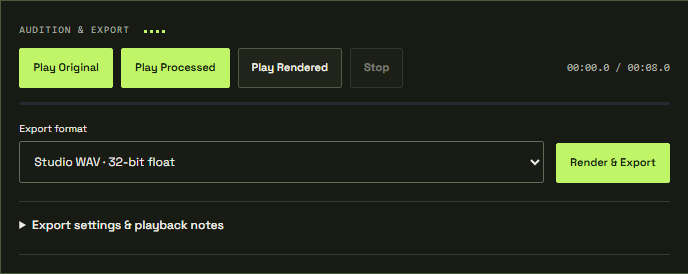
Match the handoff
Choose an output format based on who or what receives the file. A larger file is not automatically a better master. Keep the original mix and a settings copy so you can make another delivery without relying on a lossy file as your new source.
01 / Choose WAV when precision matters
Float32 WAV preserves floating-point samples at the source rate and is useful for further editing. PCM24 and PCM16 provide integer WAV exports. Optional TPDF dither is available for the PCM modes; review it deliberately when reducing to integer delivery.
02 / Choose MP3 for sharing
The bundled encoder exports 320 kbps MP3 for mono/stereo at 32, 44.1 or 48 kHz. Other sample rates or channel layouts require WAV in this release. MP3 is lossy and can introduce padding or alter peaks. VOID does not claim that an MP3 is identical to its WAV render.
03 / Download and verify
Choose the format, finish rendering as needed and export. Allow the browser download, then open the downloaded file in a separate player or editor. Confirm the duration, beginning, ending and chosen format.
A browser download is not a cloud backup. Saved VOID projects retain settings only, so keep your exported audio somewhere you control. If a download does not appear, inspect the browser's download panel and permissions before repeating the export.